
Fetch, sync, and keeping the layer populated
Try the workflow on a fictional site →
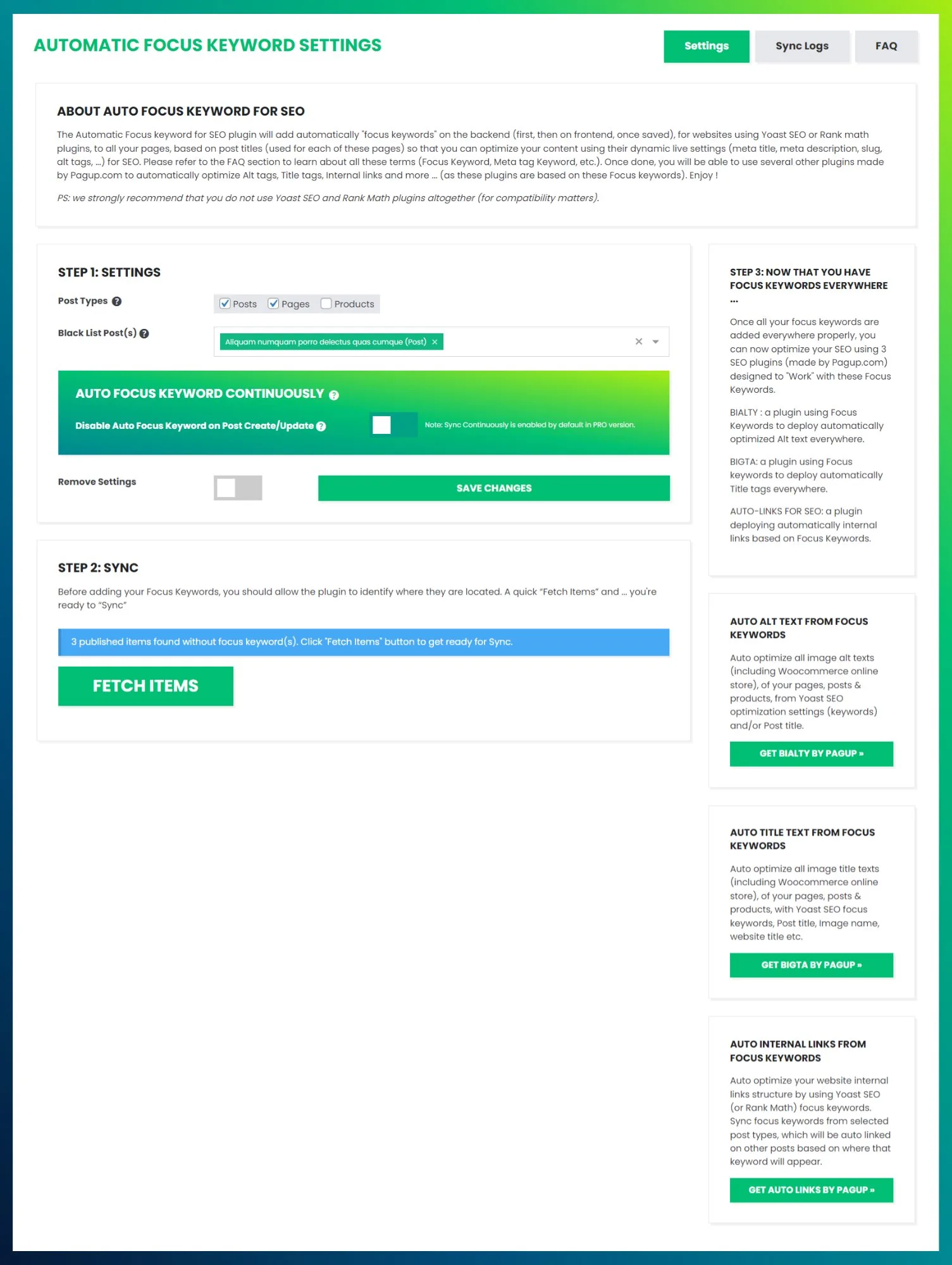
The operational core of Auto Focus Keyword is two steps, one log, and one decision about what happens to new content.
Step 1 — FETCH
FETCH scans your published content and identifies posts, pages or products with no focus keyword value in the active SEO plugin. It reports how many it found.
Nothing is written at this stage. You can run FETCH purely to measure coverage, which is a legitimate use on its own: the count is an SEO health metric you can produce in seconds.
Step 2 — SYNC
SYNC takes each item from the waiting list and writes the page title into the SEO plugin's meta field.
You can remove items from the waiting list before running it, which is the fastest way to protect a handful of pages without configuring exclusions.
Batch processing. Sites with thousands of pages are processed in batches so the request does not time out. Batch size and offset are managed internally; there is nothing to configure.
Practical notes:
- Keep the page open during SYNC. Closing it cancels the process.
- Only content with
publishstatus is targeted. Drafts and pending posts are left alone. - An existing focus keyword is never overwritten.
What SYNC unlocks
Once the field is populated:
- the active SEO plugin can run its analysis wherever its interface supports it, so the coloured indicators become meaningful across the site rather than on a handful of pages;
- tools that consume focus keywords can operate site-wide: Automatic Internal Links, BIALTY for image alt text, BIGTA for image title attributes.
That second point is the real return. A complete keyword layer is worth something on its own; it is worth much more as an input.
The activity log
The Sync Logs tab records every focus keyword assigned during a SYNC. Each entry holds the post ID, the title used as the keyword, the creation timestamp and the last update timestamp.
Deleting a log entry is smarter than it looks
When you delete an entry, the plugin checks whether the current focus keyword in the database still matches the post title. If it does, the meta value is removed. If the keyword was changed by hand after the sync, your manual value is preserved.
In other words, undoing a sync will not destroy editorial work done since.
Keeping it populated: continuous assignment
Backfilling once solves today's problem. New content recreates it.
The Pro option Auto Focus Keyword Continuously hooks into the WordPress publish and update lifecycle. Whenever content is saved without a focus keyword, the title is written into the field automatically, with no FETCH or SYNC needed.
Enable it on a site with steady output and editors who do not reliably fill the field. It keeps the layer populated as the site grows.
Do not enable it if your editorial team researches and assigns keywords deliberately. It will get ahead of them on new posts and overwrite nothing, but it will have decided before they did. In that case, keep it off and use manual SYNC for backfill only.
Read next
- How it works — detection, the query, and scope
- Using it well — limits, exclusions, and the hybrid strategy
- Automatic Internal Links — what consumes the layer next