
The Pipeline
The two plugins are designed as sequential steps in a single workflow. Auto Focus Keyword builds a keyword layer, Automatic Internal Links turns it into a link layer, and other tools reuse the same layer again.
The order is not negotiable, because step two consumes what step one produces.
The three steps
 Step 1, assign focus keywords
Auto Focus Keyword scans your site, detects content with an empty focus keyword field, and populates it from the page title. This is the foundation everything else depends on.
 Step 2, create internal links
Automatic Internal Links reads those focus keywords, finds matching text across your content, and creates internal links using the keywords as anchor text.
Step 3, extend with the ecosystem
Other PAGUP plugins consume the same keyword layer: BIALTY for image alt text, BIGTA for image title attributes, and Better Robots.txt for crawl governance.
The four problems it addresses
Orphan pages. Pages with no internal links pointing at them are, in practice, invisible. They may sit in your sitemap and still be deprioritised or skipped. Systematic linking across the whole content base is the direct answer.
Deep pages. Content buried four or more clicks from the homepage struggles. Internal links flatten the structure by creating direct paths between related content, reducing effective depth without touching your menus.
Crawl efficiency. Search engines allocate finite attention to each site. Internal links guide crawlers towards what matters and help updated content get found.
Authority distribution. Internal links move authority from your strongest pages to the rest. Without them, authority concentrates on a handful of pages while everything else stagnates.
Before
A typical WordPress site without the pipeline has a substantial share of pages with an empty focus keyword field, so no declared target at all; orphan pages receiving zero internal links; pages reachable only through category archives or pagination; and inconsistent anchor text wherever internal links do exist.
After
Every published page carries a focus keyword in the backend. Internal links connect related content using those keywords as anchors. Effective depth is reduced. Search engines get clearer signals about structure and priority.
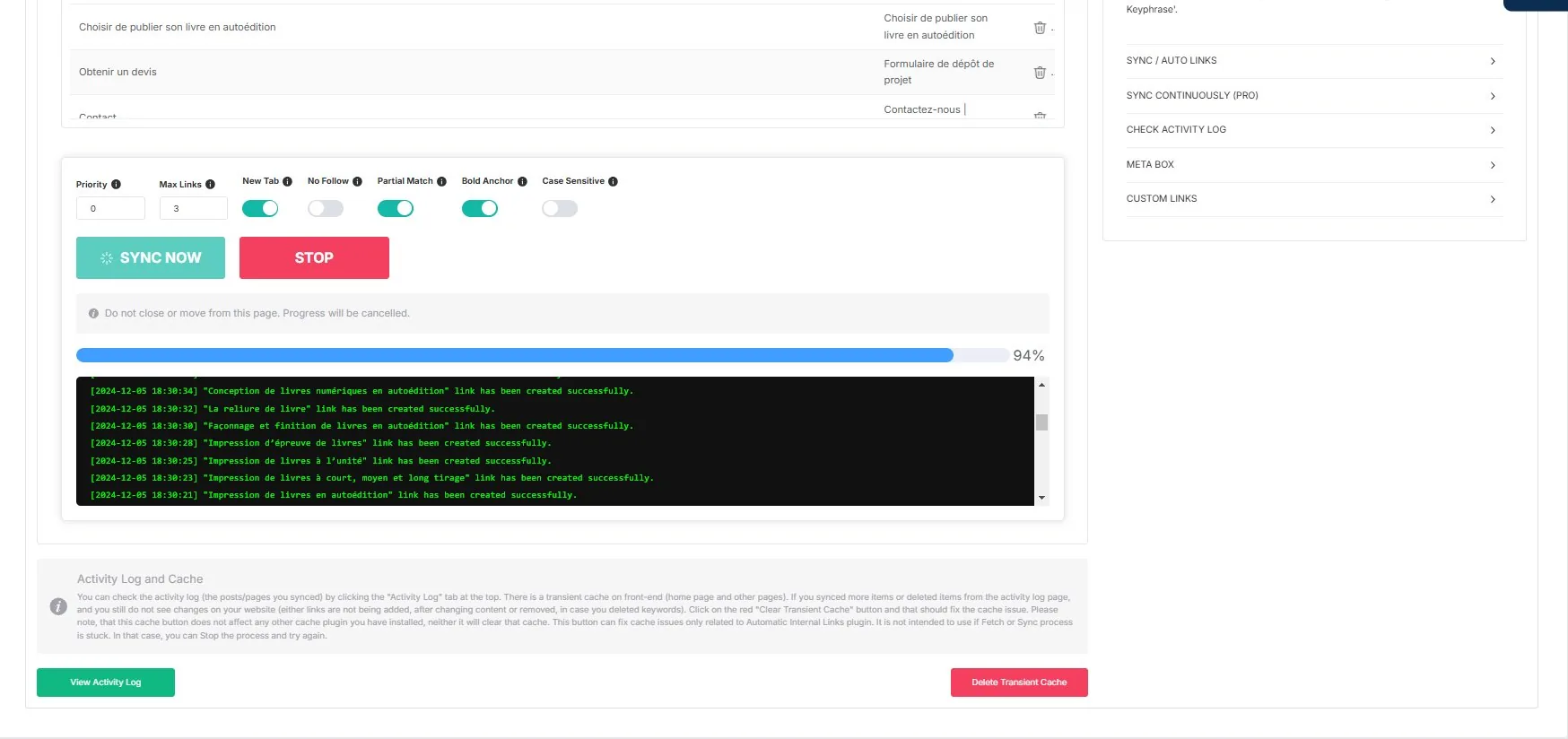
The real-time log shows each rule as it is created, with its keyword and destination.
What the pipeline does not do
It does not choose your targets. Step 1 copies the page title into the keyword field, and the title is a starting point. It does not judge whether an anchor belongs in a given sentence. And it does not guarantee rankings: internal linking is a structural change, and whether or when it shows up depends on crawling, on your site, and on everything else that changed.
The honest framing is a division of labour: breadth from automation, judgement where it counts.
Add editorial review to automation
Rules create links; review helps determine whether those links serve the reader. An assistant can help examine a defined corpus and prepare justified suggestions. PAGUP Agent Control can frame its access to supported WordPress content without implying a native integration with Auto Links.
Prepare an internal-link review with AI
Why this beats two isolated plugins
Separately, one is a field-filling utility and the other is a link engine. Run in order, they become a repeatable workflow that can be applied to a site of any size, and re-applied every time new content is published.
That repeatability is the actual product. It is also what makes the review step matter: a workflow you can run in minutes is a workflow whose output you should still look at.
Case studies
- Content blog — 200+ articles, inconsistent linking
- WooCommerce catalogue — 500+ products, zero focus keywords
- SEO agency — ten client sites, a scalable workflow
- Multilingual site — per-language runs, and the limit to respect
- Site with weak SEO hygiene — no baseline at all, and how to establish one
Read next
- The three steps — keywords, links, ecosystem
- Quick Start — the full setup path
- Internal linking best practices — the wider checklist