
 Automatic internal linking for WordPress
Automatic Internal Links for SEO builds internal links across your WordPress site without you writing them one at a time. It reads the focus keywords already stored on your pages, finds those phrases in your content, and turns each occurrence into a link pointing to the page that owns the keyword.
Free on WordPress.org, with over 1,000 active installs. Works with Yoast SEO, Rank Math, All in One SEO and SEOPress.
Download free on WordPress.org
The problem it solves
Internal linking is the SEO task everyone agrees matters and almost nobody keeps up with. It fails for a structural reason, not a motivational one: the number of possible relationships grows much faster than the content does. Every new article could link to relevant older ones, and each of those could link back. At fifty articles, choosing among them is a chore. At five hundred it is nobody's job.
The visible symptoms are familiar. Orphan pages that nothing links to. Older posts that never receive a link from anything published since. Anchor text that says "read more" because writing something descriptive took a decision nobody had time to make. A site structure that exists in the sitemap and not in the content.
Doing it by hand does not scale. Doing it by plugin usually means one of two things: a tool that suggests links and still requires a click per link, or a tool that invents its own matching rules and links things you would not have linked.
How this one works
It does not invent anything. It uses the keyword layer your SEO plugin already stores.
- You already have focus keywords on your pages, or you can fill them in bulk if you do not.
- SYNC builds the linking rules from those keywords and stores them.
- At render time, eligible occurrences become links to the page whose focus keyword it is, using the phrase itself as anchor text.
That distinction matters when you check the result: the log tells you which rules were synchronised, not how many links a given page ended up showing. Exclusions, existing links, self-links and per-page limits all reduce the rules to the links actually rendered. The overview covers the mechanism.
The consequence is that the anchor text is exact-match by construction. That is appropriate for an internal link when the phrase genuinely describes the destination; it is not a licence to repeat one phrase mechanically, which is keyword stuffing wherever the links sit.
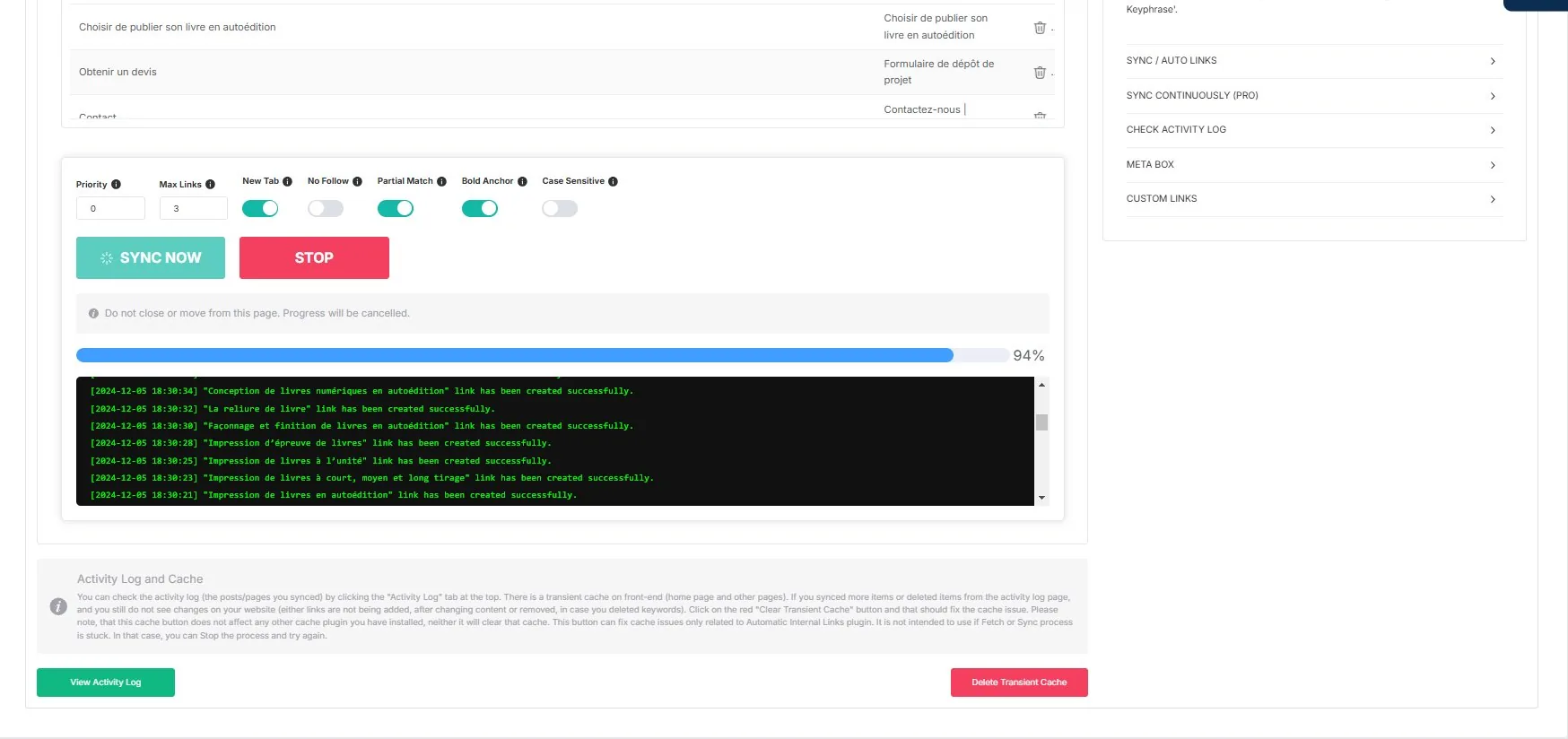
The log shows the rules as they are synchronised, with the keyword used and the destination page. Nothing happens silently. To confirm what a given page renders, check the page.
What you control
This is where an automated linker either earns trust or loses it. The controls exist at several levels:
- Which post types are processed. Posts and pages in the free version; products and custom post types in Pro.
- Which keywords are excluded, when one phrase is too common and creates noise. See excluding keywords.
- Which URLs are excluded, for pages that should not receive automatic links.
- Which HTML tags are skipped, so headings or specific blocks stay untouched.
- Per page, through a metabox, for one-off exceptions. This one is a Pro capability.
- Case sensitivity, as a setting rather than an assumption.
- Partial matches, on or off, through Partial Match.
- Manual links, for the cases where you want a custom anchor rather than the focus keyword. See Manual Links.
Every rule created is recorded in an activity log, and the operation is reversible.
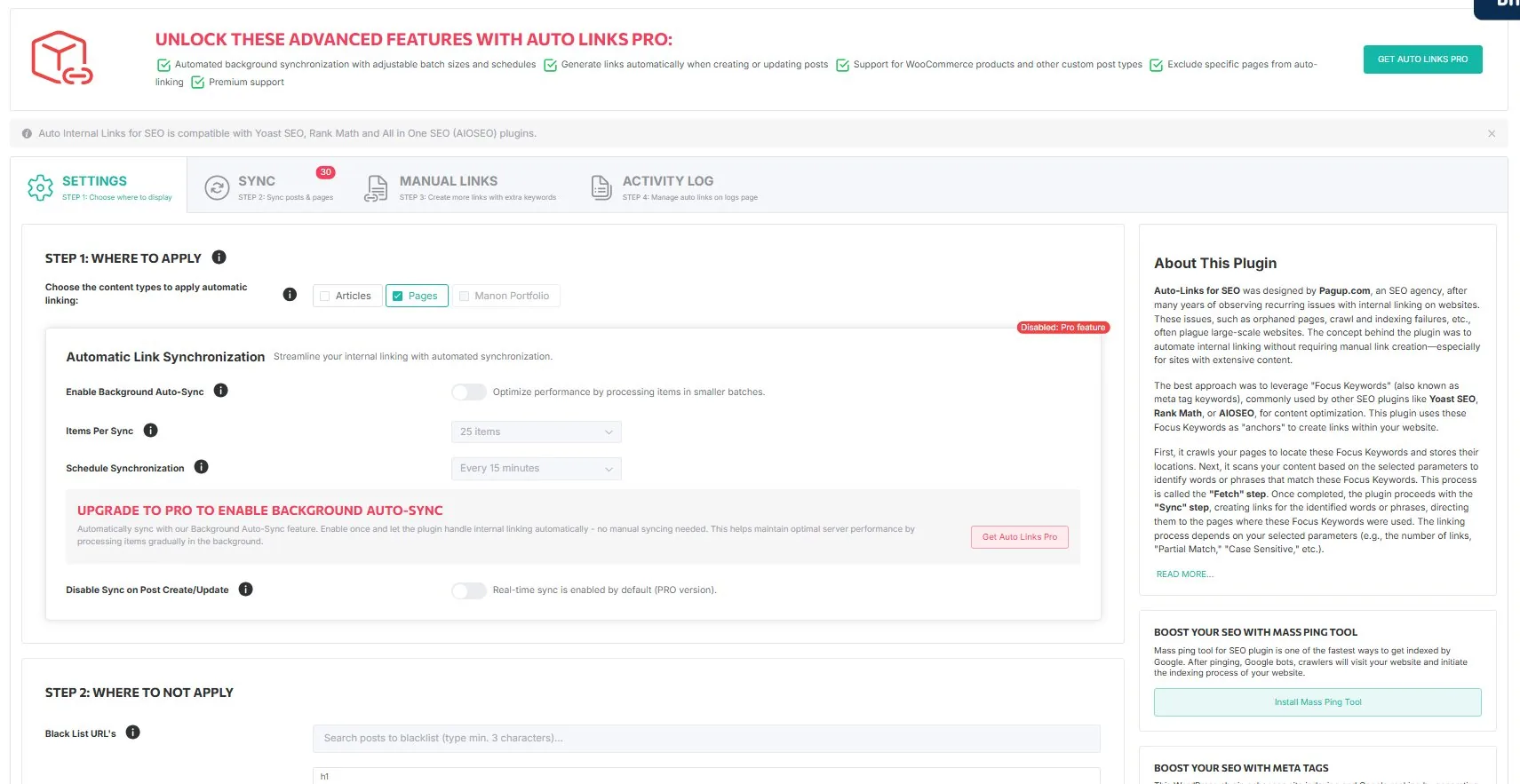
Free and Pro, stated plainly
| Capability | Free | Pro |
|---|---|---|
| Manual SYNC | ✓ | ✓ |
| Custom manual links, internal and external | ✓ | ✓ |
| Exclusions: tags, keywords, URLs | ✓ | ✓ |
| Per-page exclusion metabox | — | ✓ |
| Activity log | ✓ | ✓ |
| Posts and pages | ✓ | ✓ |
| Continuous AUTO LINKS | — | ✓ |
| Background auto-sync, configurable batch and schedule | — | ✓ |
| WooCommerce product pages | — | ✓ |
| Custom post types | — | ✓ |
Free gives you the manual SYNC flow, and it is a complete flow: you can run it, inspect the log, and undo. Pro adds continuous AUTO LINKS, which applies the same logic as you publish, plus the broader commercial scope. The site will not blur that line.
Compare plans · Get Pro · Start a 7-day paid trial
Three states, and why they are not the same
People read a number from the plugin and assume it means links on the site. It usually does not. Three things happen in sequence, and each can stop without the next one occurring.
1. The keyword is written. A focus keyword sits in your SEO plugin's field. Nothing has been linked yet.
2. The rule is synchronised. SYNC records a rule: this keyword points at this destination. The activity log now shows it. Still nothing has been linked.
3. The link is rendered. When a page is built, the plugin looks for the keyword in that page's content and injects the anchor, unless something prevents it. The known causes, read from the plugin source:
- the request is not a singular view of a post type inside the configured scope, an archive for instance;
- the page itself is excluded, by the URL blacklist or by Disable Internal Links On This Page;
- the keyword is on the exclusion list, or the occurrence sits inside an excluded HTML tag;
- the text does not match, because of case sensitivity or word boundaries;
- the phrase is split by markup,
internal <strong>linking</strong>, so the engine never sees it whole; - another rule claims the same keyword and was elected instead;
- that rule already used up its Max Links count on this page, which can happen to matches that were later discarded and never became links;
- the match overlaps a longer one, which was kept instead;
- an existing link already wraps that text;
- the destination identifier stored on the rule is the one of the page being rendered, which a custom URL pointing at the same page does not trigger;
- the two languages differ and both are resolvable, which requires a plugin registering the
wpml_element_language_codefilter; - the cached rule set for that page does not hold the rule yet, or still holds its former settings;
- the content never passes through the
the_contentfilter, the only place the plugin hooks into.
So a rule can exist while its link never appears. The activity log counts rules, not links. To know what a page renders, look at the page.
An illustrative example
| Before | After | |
|---|---|---|
| Keyword field | empty | internal linking strategy |
| Rule in the log | none | one, pointing at this page |
| Anchor in the HTML | none | on pages whose text contains that phrase |
This is an illustrative example, not a measured result, and the plugin was not executed to produce it. What your own site renders depends on your content, your matching settings and your exclusions. The reproducible protocol behind this distinction is maintained internally and has not been executed.
What it will not do
Worth stating, because this is where automated linking tools usually overpromise.
- It does not do keyword research. It uses the keywords you already declared.
- It does not judge editorial relevance. If a focus keyword is a poor description of its page, every link built from it will be a poor link. That risk is real and it is upstream: see focus keyword limitations.
- It does not build backlinks. This is internal linking only.
- It does not rewrite your content. It wraps existing occurrences of phrases that are already in your text.
- It does not guarantee rankings. Internal linking is a structural change. Whether and when it shows up depends on crawling, on your site, and on what else changed; no delay and no gain is guaranteed.
Where it fits
Automatic Internal Links reads whatever focus keywords are already there, however they got there: typed by hand, imported, or filled by another tool. Auto Focus Keyword is one way to populate empty fields in bulk, not a prerequisite.
If your focus keyword fields are largely empty, start with no focus keyword set. If they are populated, you can run SYNC today. And if you would rather not depend on the field at all, manual links work without it.
→ How the two steps fit together
How it compares
| Automatic Internal Links | Link Whisper | Internal Link Juicer | Manual linking | |
|---|---|---|---|---|
| Source of anchors | Your focus keywords | Its own suggestions and rules | Keywords you configure | Your judgement |
| Links per action | Whole site | Per suggestion, or by rule | Whole site | One |
| Free tier | Yes, full SYNC | Limited | Yes | — |
Full comparison table: best internal linking plugin for WordPress. Head to head: vs Link Whisper · vs Internal Link Juicer · vs Yoast internal linking · vs Rank Math · vs manual linking
Read next
- Overview — how detection and replacement work
- Sync & Auto Links — manual SYNC versus continuous AUTO LINKS
- Settings — every option explained
- Cache & Performance — transients and expiry
- Anchor text guide — what makes a good internal anchor
- Internal linking best practices — the wider checklist