
How Automatic Internal Links works
Automatic Internal Links creates links by scanning your content at render time and replacing keyword matches with internal links. Nothing is written into your posts.
The mechanism
The plugin hooks into WordPress through the the_content filter at priority 99999, so it runs last. When a page is rendered, it queries its own tables for the stored keywords — from both the SYNC log and manual links — finds matches in the page content using the HtmlChanger library, and replaces matching text with anchor tags pointing to the corresponding destination.
Four architectural facts follow from that, and they matter more than any setting:
Non-destructive. Links are injected at render time, not stored in your database content. Deactivate the plugin and every auto-generated link disappears instantly.
Self-referencing protection. The plugin never creates a link on a page that points to itself.
HTML-aware. The replacement engine respects HTML structure. It ignores content inside <a> tags, so no link is ever created inside an existing link, and it can be configured to skip headings and any custom element. See exclusions.
Cached. Results are stored as WordPress transients so the same query does not run on every page view. See cache and performance.
What it stores
Two custom database tables: one for manual links, one for SYNC log entries. Both store the keyword, the destination URL, the post ID, the link attributes, the priority and timestamps.
Note what is not stored: your content. The plugin holds a set of rules, and applies them on the way out.
Keyword sources
Automatic Internal Links reads the keyword layer exposed by Yoast SEO, Rank Math, All in One SEO and SEOPress.
It reads those values as source signals for linking. It does not write focus keywords back into those SEO plugins — that is Auto Focus Keyword's job, and the two are independent. If your keyword fields are empty, start with no focus keyword set.
Scope: which content is covered
| Post type | Free | Pro |
|---|---|---|
| Posts | ✓ | ✓ |
| Pages | ✓ | ✓ |
| WooCommerce products | — | ✓ |
| Custom post types | — | ✓ |
The selection does two things at once: it decides which content is scanned during FETCH ITEMS, and which pages may be used as link destinations.
The Settings tab
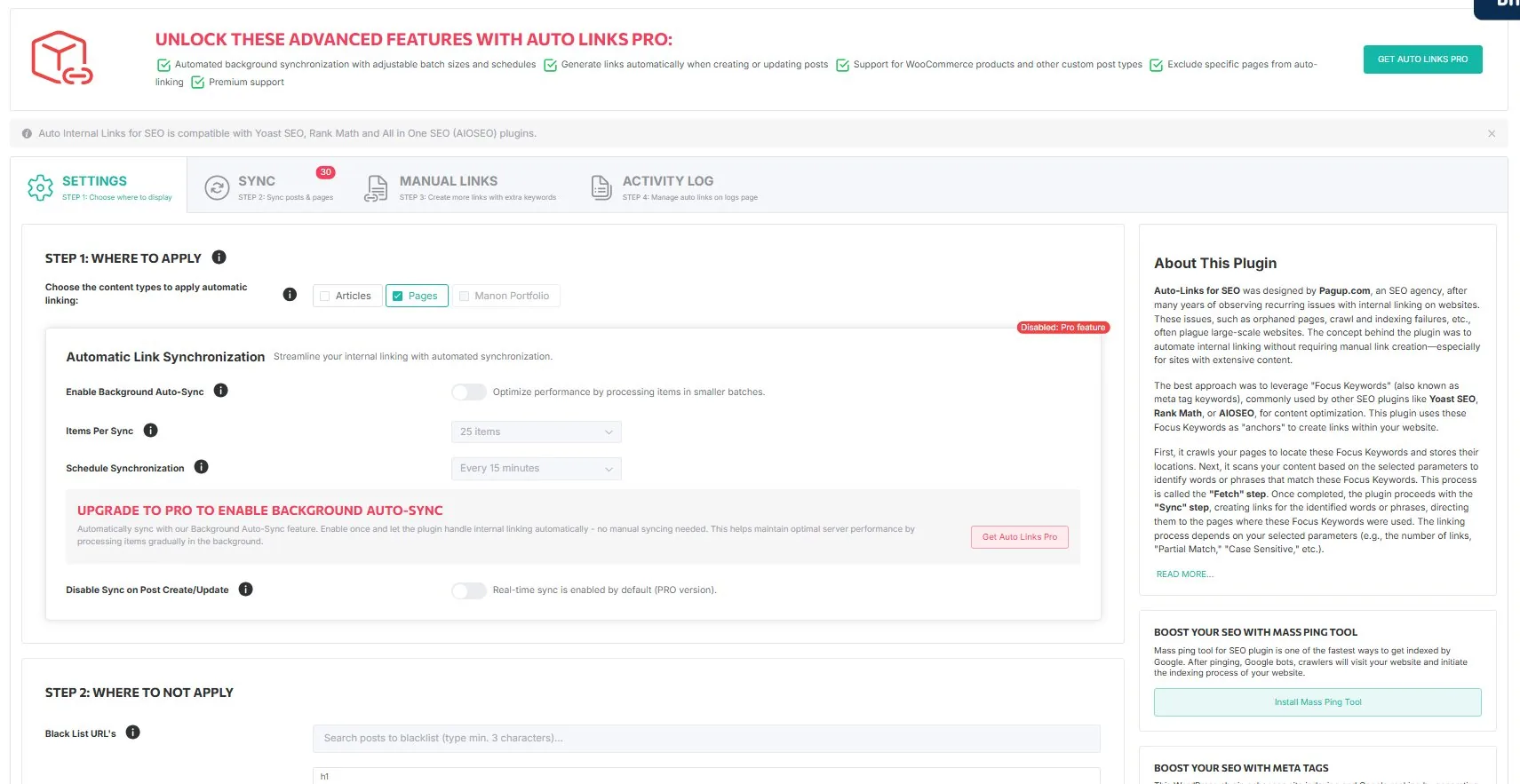
The tab is organised in steps.
Step 1, where to apply. The post types above.
Step 2, where NOT to apply. Three exclusion fields: Black List URLs, Exclude HTML Tags, and Exclude Keywords. Each is documented in controlling what gets linked.
Automatic Link Synchronization (Pro). Batch size and frequency for the background sync. See running sync.
Global settings. Max Links, New Tab, NoFollow, Partial Match, Bold Anchor and Case Sensitive. These apply to every link when Global Override is enabled, and are documented in matching rules.
Read next
- Running sync — SYNC, AUTO LINKS, the activity log and the cache
- Matching rules — case, partial match, priority, limits, appearance
- Controlling what gets linked — the four levels of exclusion
- Manual links — defining anchor and destination yourself
- Anchor text guide — what makes a good internal anchor